August 25, 2026 · 8 min read
Migrating Your Existing WhatsApp Number to the Business API
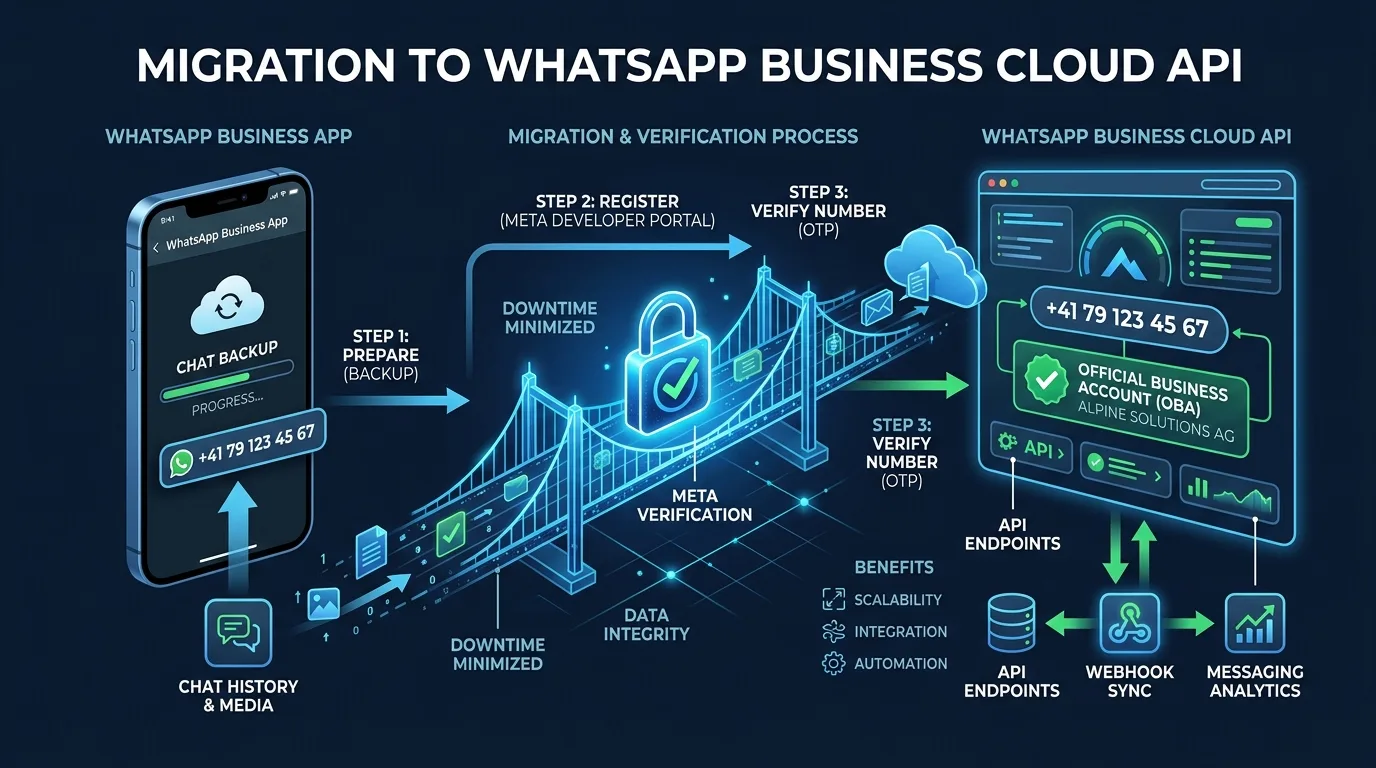
The number printed on your storefront, saved in thousands of customer phones and listed on your business profile is an asset. Moving to the WhatsApp Business API does not mean giving it up; existing numbers can be migrated. What it does mean is a one-way door that deserves preparation.
Three Rules to Know Before You Start

- A number lives in one place at a time. Once it moves to the API, the WhatsApp Business app account for that number is removed and conversations are handled through your connected interface instead.
- App chat history does not travel with it. The backup stays on the device, but the API side starts empty. Export anything you need to keep.
- The number must be reachable for verification. A code arrives by SMS or voice call during migration, so you need physical access at that moment.
Preparation Checklist
Migration itself is quick; preparation is where the time goes. Do not start until these are done:
- Business verification completed on your Meta Business account, so your messaging limits start at a workable tier.
- Two-step verification PIN known or reset in advance; a forgotten PIN can add days of waiting.
- Critical conversations exported from the app.
- Profile details saved: business name, description, address, hours and catalog entries you will re-enter on the API side.
- Away and greeting message texts copied, so they can be rebuilt as assistant flows.
Timing the Move
During migration the number briefly stops receiving messages. The window is usually short, but a busy hour turns it into lost orders. Pick the quietest slot in your week and keep it away from campaign launches or seasonal peaks.
Step by Step
- Register the number on the API side and choose SMS or voice verification.
- Delete the app account exactly when the flow asks; skip this and the code never arrives.
- Enter the code and set a two-step PIN, then store that PIN in your password manager.
- Wait for display name approval. Promotional phrasing is rejected; use your real business name.
- Connect the webhook and confirm inbound and outbound messages with a live test.
- Upload templates; quick replies from the app must be re-approved as templates.
The First 48 Hours
Watch three things: whether every inbound message reaches your webhook, whether templates are actually delivered, and which messaging tier the number sits in. Newly registered numbers start with a conservative daily limit that grows with healthy traffic.
Common Mistakes
| Mistake | Result | Prevention |
|---|---|---|
| Verifying before deleting the app account | Code never arrives, migration stalls | Follow the flow order exactly |
| Forgotten two-step PIN | Registration cooldown | Reset the PIN before migrating |
| Slogan in the display name | Name approval rejected | Use the legal or widely known business name |
| Migrating during peak hours | Missed orders and bookings | Choose your quietest window |
| No templates prepared | Cannot reach customers on day one | Submit templates for review in advance |
Rollback Planning
Moving a number back to the app is possible but not instant, and it costs a second outage. Treat it as a last resort. A safer path is rehearsing the whole migration on a spare number first, then moving the number that matters.
Migrating with BozLat AI
Our setup covers the migration plan itself: readiness checks, choosing the low-traffic window, submitting templates ahead of time and monitoring the first 48 hours. See the pricing page for scope and plans.
Frequently Asked Questions
Related Articles
5 min read
AI Chatbot CRM Integration Guide
Learn how to integrate WhatsApp and AI chatbots with CRM systems, data privacy rules, and customer management benefits in our comprehensive guide.
11 min read
What is WhatsApp Business API? Comprehensive SME Guide
What is the WhatsApp Business API and how does it work? The three WhatsApp products compared, Cloud API architecture, pricing model, template approval and setup steps.
10 min read
WhatsApp Cloud API vs On-Premises: Full Comparison
What is the difference between WhatsApp Cloud API and On-Premises API? A decision guide covering cost, maintenance, data residency, new features and migration steps.
Ready to set up an AI assistant for your business?
View Pricing