July 29, 2026 · 5 min read
AI Chatbot CRM Integration Guide
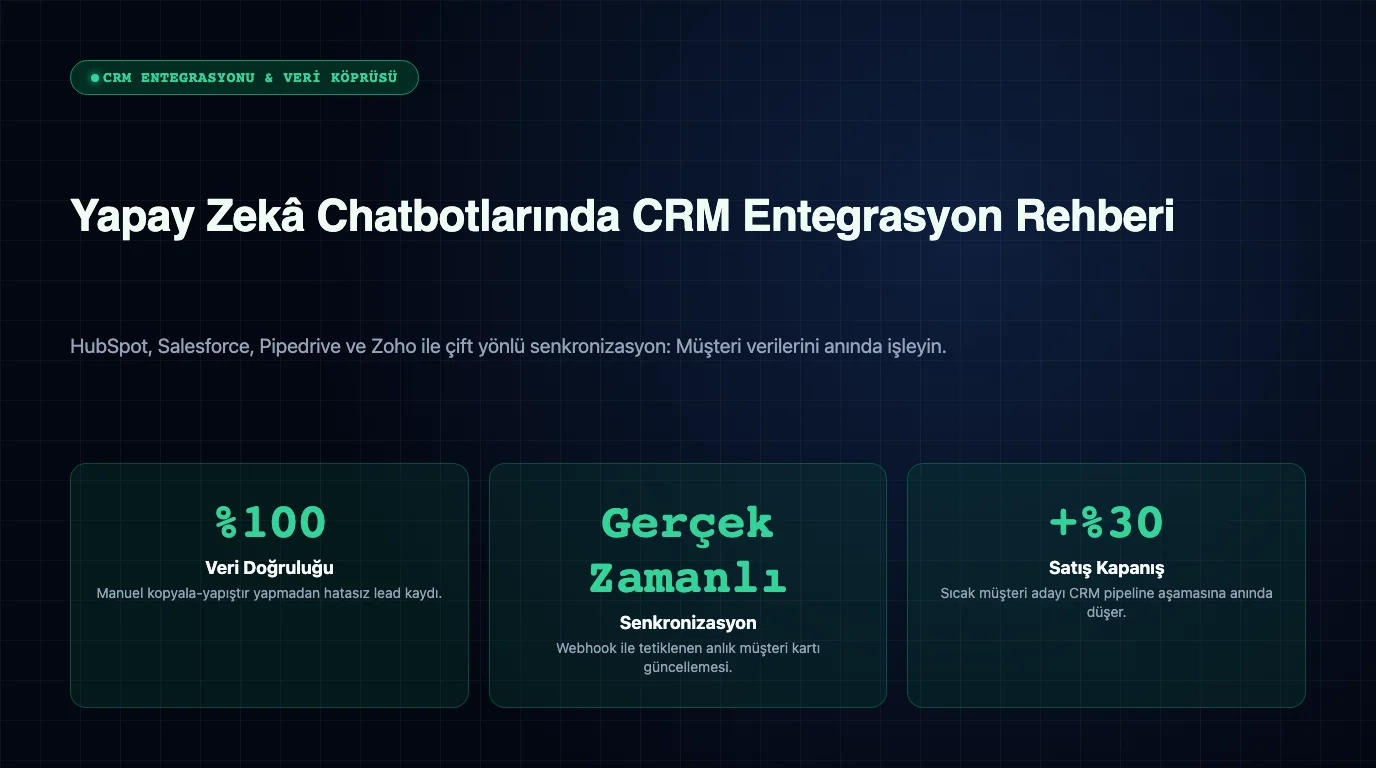
AI chatbot CRM integration automatically transfers customer messages and communication data received from WhatsApp, web, or social media channels into a central Customer Relationship Management (CRM) software. Through this integration, businesses eliminate manual data entry, instantly add leads into the sales pipeline, and access conversation histories from a unified panel.
How Does CRM Integration Work?
Integration between chatbots and CRM systems is typically executed via REST APIs, webhook architectures, and secure token authentication. When a user interacts with the chatbot, the bot collects essential details such as name, phone number, budget, and service interest, then creates or updates a lead record in the CRM.
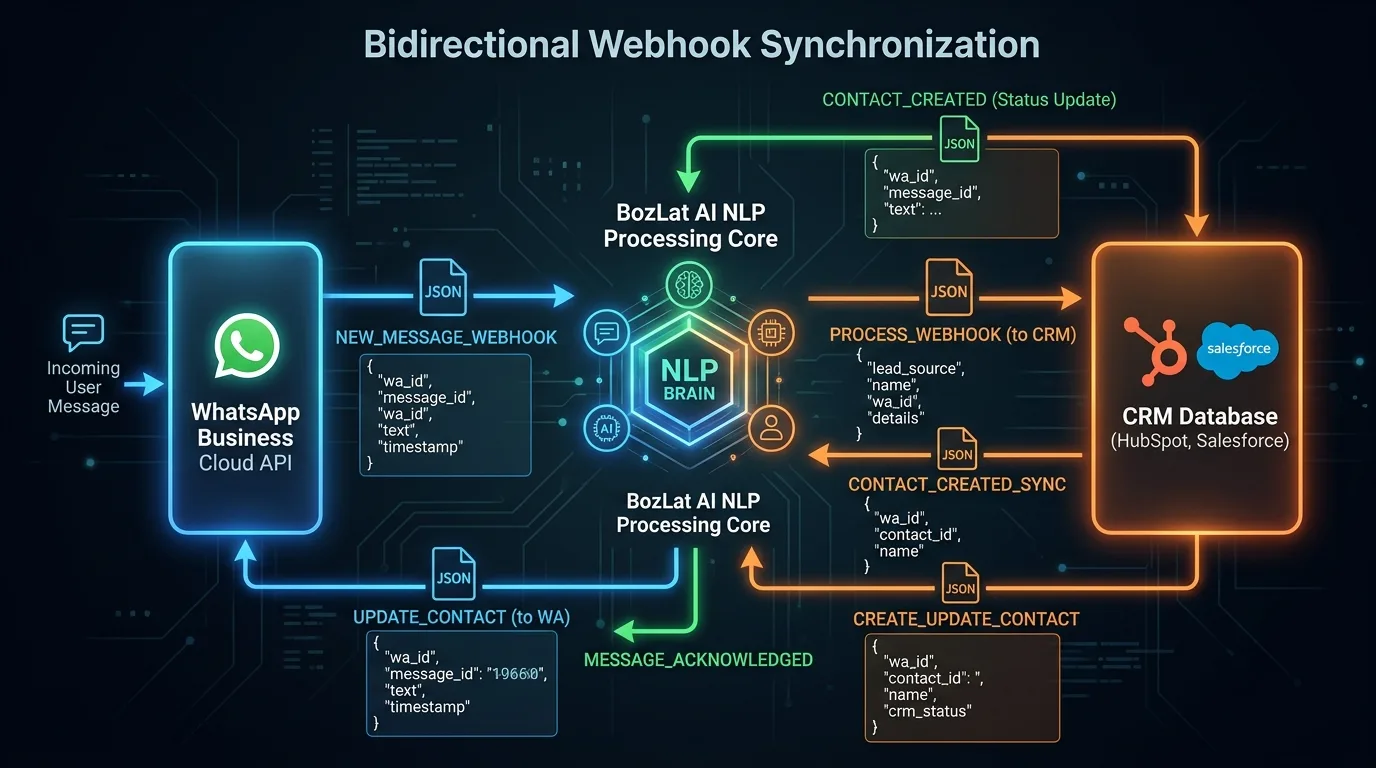
Two-way synchronization ensures that any status updates within your CRM (such as appointment confirmed or delivery dispatched) trigger immediate automated WhatsApp status alerts to the customer.
Key Benefits for Businesses
- Zero Manual Data Entry: Eliminates error-prone manual contact logging across sales teams.
- Real-Time Lead Tracking: Instantly routes incoming opportunities to assigned account executives even after hours.
- Full Customer History Access: Empowers chatbots to deliver contextual answers based on past purchase history.
- Accelerated Sales Velocity: Fast initial response times shorten the entire sales qualification cycle.
Industry CRM Integration Workflows
These are the workflows chatbot and CRM integration creates across different industries:
| Industry | Chatbot Trigger | CRM Action |
|---|---|---|
| E-Commerce & Retail | Customer inquires about inventory and pricing | Contact created with product category tags |
| Real Estate | Buyer inputs apartment budget and preferred zone | Deal created and assigned to regional broker |
| Clinics & Healthcare | Patient selects visit time and preferred doctor | Appointment confirmed in clinic management system |
Learn more about industry-specific automation in our e-commerce support chatbot and chatbot deployment guide.
Technical Best Practices & Data Privacy
The following technical considerations matter when setting up a CRM integration:
- GDPR & KVKK Compliance: Always collect explicit consent before logging customer details into CRM databases.
- API Rate Limit Management: Implement message queuing to protect CRM webhooks during traffic spikes.
- Duplicate Record Prevention: Match phone numbers and email addresses to update existing contacts rather than creating duplicates.
To understand the API protocols behind the integration architecture, see our what is WhatsApp Business API guide.
4-Step CRM Integration Roadmap
- Field Mapping: Specify which message parameters map to custom CRM contact properties.
- API & Webhook Configuration: Connect official WhatsApp API credentials with your CRM OAuth endpoint.
- Bi-Directional Testing: Run test scenarios to confirm data accuracy and real-time synchronization.
- Go-Live and Team Training: Deploy to live traffic and train your sales reps to handle synced leads.
CRM Integration with BozLat AI
Integrating your AI assistant with your CRM software saves time and boosts operational efficiency. Visit our BozLat AI pricing page to explore integration options.
Frequently Asked Questions
Related Articles
11 min read
What is WhatsApp Business API? Comprehensive SME Guide
What is the WhatsApp Business API and how does it work? The three WhatsApp products compared, Cloud API architecture, pricing model, template approval and setup steps.
8 min read
Migrating Your Existing WhatsApp Number to the Business API
Moving the number your customers know to the WhatsApp Business API: a preparation checklist, chat history limits, downtime planning and a rollback plan.
10 min read
WhatsApp Cloud API vs On-Premises: Full Comparison
What is the difference between WhatsApp Cloud API and On-Premises API? A decision guide covering cost, maintenance, data residency, new features and migration steps.
Ready to set up an AI assistant for your business?
View Pricing