September 4, 2026 · 9 min read
Property Manager WhatsApp Maintenance Request Automation
WhatsApp maintenance request automation turns a resident's free-form message into an organized work record: it gathers the location, issue type, urgency, supporting image and access time; assigns the request to the right team; and lets the resident follow progress in the same conversation. The goal is not to replace the property manager. It is to turn scattered messages into an operational queue that does not lose ownership or history.
Why a WhatsApp Group Is Not a Maintenance System
A residential group mixes announcements, neighbor complaints, payment questions and technical faults. If someone only writes, “the elevator is broken again,” nobody knows which block, when it started or whether anyone is trapped. A manager asks for details one by one, answers get buried, and the completion update may never make it back to the resident. A message being seen is not the same as a job being owned.
Automation closes that gap by completing the context before routing the work. The conversation remains natural, while every answer updates one record in the background. Residents do not have to retell the story, and managers do not coordinate technicians by forwarding screenshots.
What Should Be Collected After the First Message?
A useful flow asks the fewest questions needed for action. Instead of showing a long form for every issue, it fills only the fields that are missing from the resident's first message.
- Location: block, floor, common area or unit when the complex itself is already known.
- Issue type: elevator, water, electricity, security, parking, cleaning or other.
- Observed condition: what happened, when it began and whether it is still happening.
- Impact: one unit, an entire block or a shared area.
- Evidence: a photo or short video only when useful, with guidance not to expose private space unnecessarily.
- Access: a suitable visit time and who should be contacted before arrival.
The flow must not ask for information that was already provided. If the first message says, “the barrier at the B-block parking entrance will not open,” both location and category are clear. The next question can focus on whether the problem continues and whether a safe route remains available.
Classify by Action, Not Just by Category
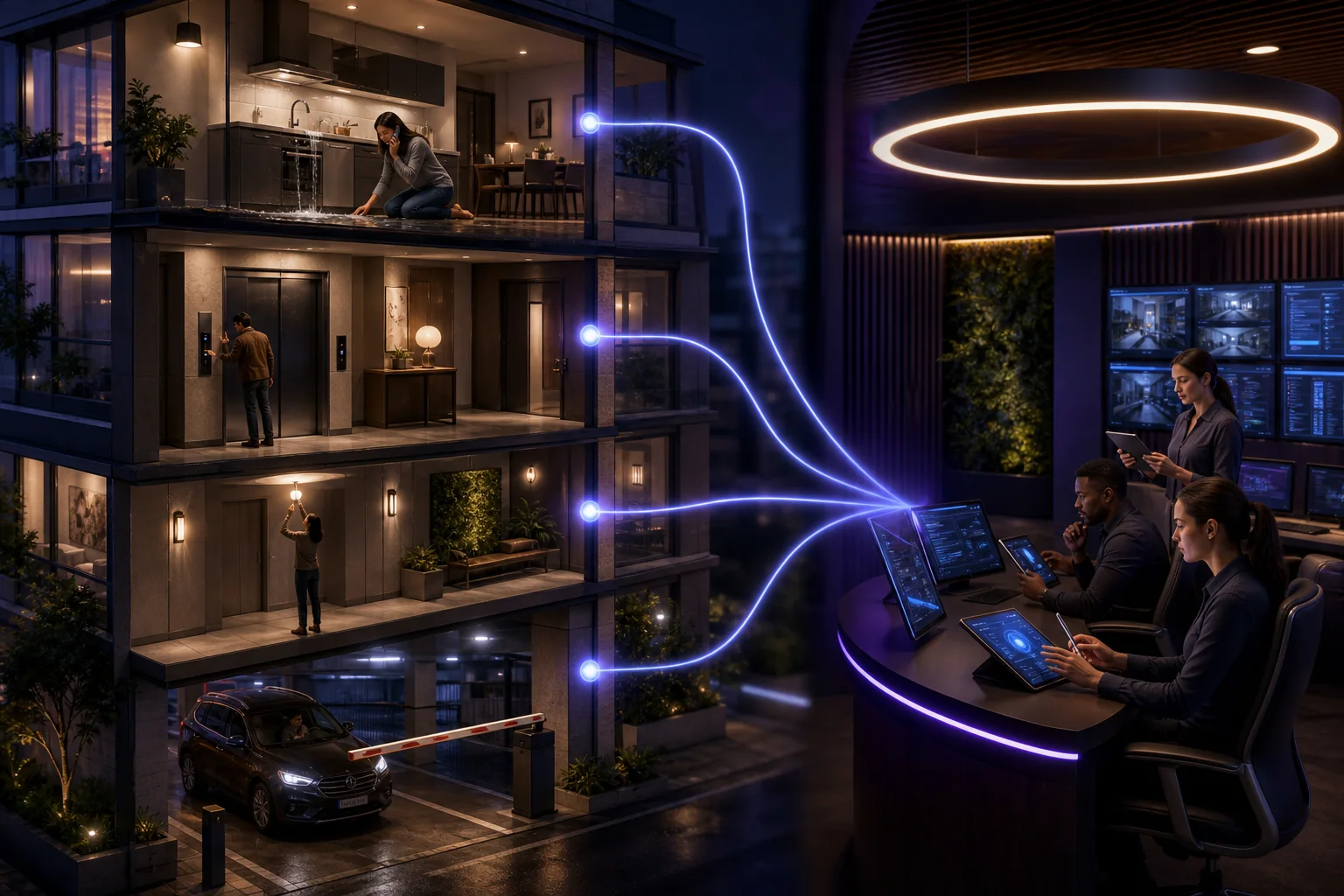
A label such as water or electricity is not enough. Two incidents under the same heading can demand completely different actions. A flickering common-area bulb can enter planned maintenance, while a burning smell near an electrical panel needs immediate human assessment. Automation should never diagnose a technical fault; it should detect risk language and raise the case to the right person.
| Level | Example | First action |
|---|---|---|
| Routine | Common-area light, painting or cleaning request | Add to the maintenance queue and state when the next update will come |
| Priority | Water outage in one block or a recurring door fault | Assign an owner and confirm the affected area |
| Emergency assessment | Person trapped in a lift, heavy water flow, smoke or burning smell | Shorten the bot flow and alert the on-call human and appropriate emergency channel |
This table is not a technical safety standard. Every property must define thresholds around its building design, contracts and emergency procedures. The assistant should not make a final risk decision; uncertain cases with real consequences belong with a human.
Make the Request Lifecycle Visible to Residents
Good communication does not end with “we received your request.” A job should move through understandable states: received, assigned, in progress and completed. If work is delayed, explaining why and naming the next update is better than silence. At completion, ask one short question: is the issue actually resolved? A negative answer should reopen the same record instead of creating an unrelated ticket and losing the history.
Build WhatsApp Messaging Rules into the Flow
When a resident messages the business, free-form service responses can be sent during the customer service window. Outside that window, business-initiated messages require an approved template. Meta's official message types documentation explains this distinction. A business must also obtain permission before messaging someone on WhatsApp and honor opt-out requests; Meta's official opt-in guide lists the core requirements and supported methods.
Operationally, a maintenance request does not give permission to send unrelated promotions later. Status updates and visit reminders must match the permission the resident gave and, when required, the appropriate template category. The ability to send a message does not automatically make its content appropriate.
Keep Only the Personal Data the Job Needs
A maintenance record does not need a resident's full profile. Unit information should be collected only when access or authorization requires it. Photos may reveal faces, license plates or private interiors, so unnecessary copies should not spread across teams. Use role-based access: a technician needs the job details, not the resident's entire conversation history. Retention and deletion rules should follow the property's real operational need.
Complete This Checklist Before Launch
- Maintain one current list of blocks, shared areas and responsible teams.
- Define routine, priority and immediate-human scenarios with real examples.
- Name a primary and backup owner plus working hours for every category.
- Write short, natural messages for received, assigned, delayed and completed states.
- Test missing information, wrong classification and reopened jobs with at least ten sample conversations.
- Review first-response time, completion time, reopened requests and ownerless records every week.
A Property Management Flow with BozLat AI
BozLat AI can ask the questions that turn a resident message into a structured request, answer general questions from approved property documents and hand risky or uncertain situations to the human team. See the WhatsApp Business API guide for the channel model and the pricing page for scope and plans. The objective is not to automate every reply. It is to make sure every request has an owner.
Frequently Asked Questions
Related Articles
9 min read
WhatsApp Maintenance Planning for Commercial Kitchens
A practical WhatsApp workflow for commercial kitchen service firms to organize equipment records, maintenance intervals, site access and appointments.
10 min read
WhatsApp Event Quote Automation for Catering Companies
Collect wedding and corporate event requirements through WhatsApp, then turn guest count, menu and operational details into a clear catering quote.
9 min read
Cold Storage Service Fault Intake through WhatsApp
Capture cold-storage faults safely in WhatsApp; organise alarms, temperature trends, equipment context and site access for a prepared service response.
Ready to set up an AI assistant for your business?
View Pricing